MyGED Login Help: Access Your GED Account at login.ged.com
MyGED is the GED Testing Service official portal at login.ged.com — where you schedule tests, view scores, and order transcripts. It is not Twigera or any prep platform. Here is how to log in, recover access, and avoid scam sites.
MyGED is the GED Testing Service official portal for test-takers. Access it at login.ged.com (or ged.com then "Sign In") using the email and password from when you registered. Use MyGED to schedule tests, view scores, order transcripts, and manage your account. MyGED is NOT Twigera, Onsego, Kaplan, or any prep provider — those are separate logins. Forgot your password? Use the "Forgot Password" link on the login page.
Last reviewed
According to the US Bureau of Labor Statistics, 73% of jobs require at least a high school diploma or GED. Before you schedule your first test, there is one account you need: MyGED, the official GED Testing Service portal where your entire testing journey lives — from scheduling each subject to viewing scores and ordering transcripts. You may also have seen "GED Manager login," which sounds similar but is built for educators, not individual test-takers. This guide walks through what MyGED is, how to access it, and what to do when something goes wrong.
Quick Answer: Where to Log In
The official URL is login.ged.com — that is your destination. You can also get there through ged.com by clicking "Sign In" in the top-right corner. You will need the email address you registered with and your password. Type login.ged.com directly into your browser; never click a login link from an email you did not request.
What you searched
Where to go
myged login / myged.com login
login.ged.com
ged.com login
ged.com, then click "Sign In"
myged portal
login.ged.com
www myged / myged org
Use login.ged.com directly — safer
What Is MyGED?
MyGED is the GED Testing Service official consumer account portal — your GED headquarters. It is run by the GED Testing Service, a joint venture of Pearson VUE and the American Council on Education (ACE), and every test-taker in the US goes through this one system regardless of state. Think of ged.com as the public website and MyGED as the logged-in personal account behind it; the same credentials work across both.
MyGED handles scheduling each of the four subject tests, viewing your scores and score history, ordering official transcripts and credentials, accessing the GED Ready practice test, and updating your personal information. What it is NOT: a prep program (Twigera, Onsego, and Kaplan are entirely separate), the GED Manager portal (built for educators and administrators), or GED Flash and GED Academy (separate third-party products). Your prep account and your MyGED account are never connected.
Save for later
Pin this guide so you can find it again.
We refresh these every season. Save it to a Pinterest board and you’ll get the latest version next time you come back.
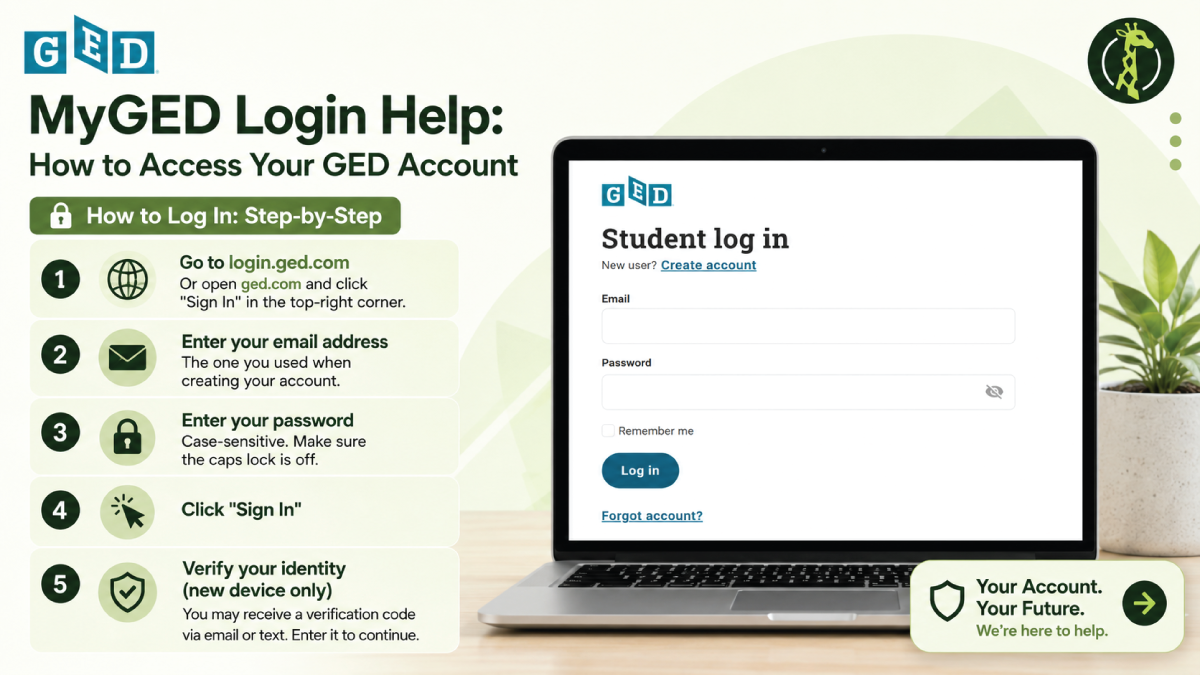
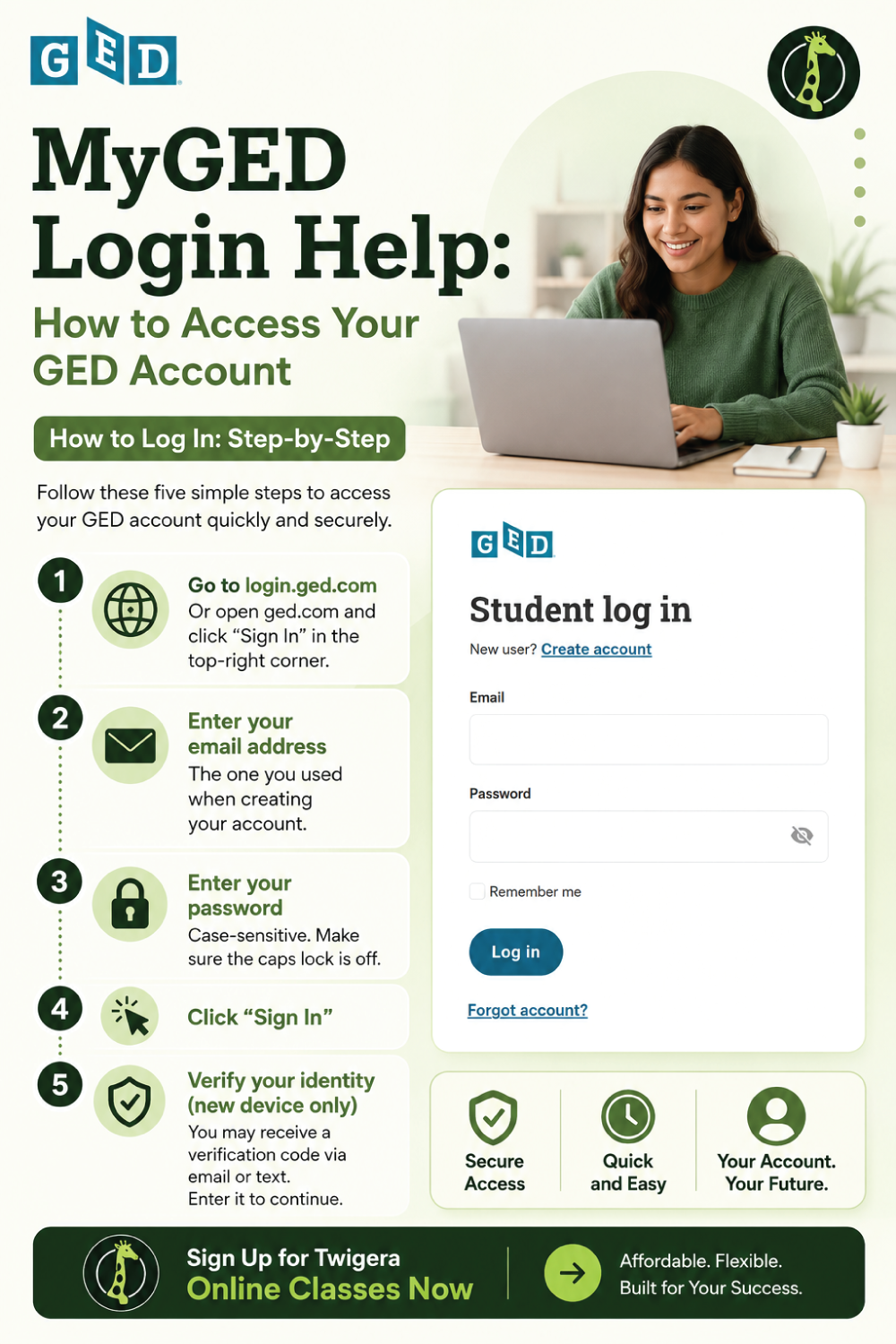
Go to login.ged.com (or open ged.com and click "Sign In" in the top-right corner).
Enter your email address — the one you used when creating your account.
Enter your password — it is case-sensitive, so check that caps lock is off.
Click "Sign In."
Verify your identity on a new device — you may receive a code via email or text; enter it to continue.
You will land on your MyGED home screen, where your test schedule, scores, transcripts, and account settings all live in one place. No account yet? Click "Create Account" on the login page — you will need a valid email address, and most states require test-takers to be at least 18 (some allow 16- to 17-year-olds with supporting school documentation).
Common Login Problems and Solutions
Forgot password — click "Forgot Password," enter your registered email, check your inbox (and spam) for the reset link, create a new password, and sign in.
Forgot username or email — click "Forgot Username" and enter your date of birth and last name. No longer have access to that email? Contact GED Testing Service with identity-verification documents.
Account locked — multiple failed attempts trigger a temporary lock; wait 15 to 30 minutes, then contact ged.com support if it does not restore.
Multiple accounts — if you accidentally created a second account, contact support to consolidate your records; your test history will not be lost.
New-device verification — not receiving your 2FA code? Confirm your phone number and backup email are current in account settings, then contact support at ged.com/contact-us.
Disambiguation: Different "GED" Logins
This is where most people get turned around. Several products carry the "GED" name, but they are not the same system and do not share login credentials. If you are a student trying to schedule a test or check scores, login.ged.com is your only destination.
Login
Who it is for
Where
MyGED
Individual test-takers
login.ged.com
GED Manager
Educators and adult-ed admins
Separate (not for students)
GED Flash
Practice-app users
Separate app
Twigera
Twigera prep students
twigera.com
Onsego / Kaplan / Penn Foster
Each provider students
Each provider own site
What You Can Do in MyGED
Once logged in, the dashboard gives you everything that moves your GED forward. You schedule each subject independently — Mathematical Reasoning, Reasoning Through Language Arts, Science, and Social Studies — choosing online-proctored testing at home or an in-person center. Costs run roughly $26 to $46 per subject depending on your state and format, and some states subsidize or waive fees; see exactly how much the GED costs and where you can take the GED. You can pass one subject and return for the rest later — passed-subject scores do not expire under the current test version.
Your score report breaks down each subject on the 100–200 scale:
Score range
What it means
Below 145
Did not pass
145–164
GED passing score
165–174
College Ready
175+
College Ready + Credit
Scores are typically available within 24 hours (occasionally up to 2–3 business days after the essay), and you can dig into what each tier means in our GED passing score guide. MyGED also lets you order transcripts (standard fee about $15 through Parchment, processed via Parchment or DiplomaSender by state) and access the GED Ready practice test ($7.99 per subject, or $25.99 for all four), which uses the same scoring engine as the real exam and is required before testing online from home — a passing GED Ready score stays valid for 60 days, which matters for GED test day. One detail that matters: your name in MyGED must match your government-issued ID exactly, or it creates real problems on test day.
Customer Service: Contacting MyGED
Self-service options handle most issues. When they do not, the only legitimate channels are the official support page at ged.com/contact-us, live chat during select hours via ged.com, and the phone number listed on ged.com/contact-us (typically US business hours, Eastern time). One non-negotiable rule: never call a third-party "MyGED help" number found through a search engine — many are scams targeting GED candidates. The only legitimate support channel is ged.com/contact-us.
Twigera Login: A Separate System
If you are a Twigera student looking for your account, that login lives at twigera.com — separate from MyGED entirely. Twigera does not handle test scheduling, official score reporting, transcript ordering, or credential issuance; those belong exclusively to the GED Testing Service at ged.com. What Twigera does is prepare you to walk into the test ready to pass, with adaptive tools that pinpoint where you are losing points so your study time focuses on the gaps that matter.
Account
Purpose
MyGED (login.ged.com)
Official testing — scheduling, scores, transcripts
Twigera (twigera.com)
GED prep — curriculum and practice
Avoiding MyGED Scam Sites
High search volume makes MyGED a prime target for phishing sites built to steal login credentials or payment information — and some are convincing enough to fool careful readers. The only legitimate MyGED login URL is login.ged.com, reached through ged.com. When anything feels off, type ged.com directly into your browser. For a full breakdown of fake GED sites and how to spot them, see our fake GED warning guide.
Bottom Line
MyGED is the GED Testing Service official portal at login.ged.com, where you schedule tests, view scores, and order transcripts. GED Manager is a separate portal for educators, not test-takers. For password recovery, use the "Forgot Password" link; for anything else, go directly to ged.com/contact-us — and if a site or phone number does not appear on ged.com, do not trust it. Your GED credential opens doors to college, better-paying jobs, and federal financial aid, so getting your login sorted is the first step.
Frequently asked
Questions people ask.
What is MyGED?
ShowHide
MyGED is the GED Testing Service official consumer portal where you manage your GED journey — scheduling tests, viewing scores, ordering transcripts, and updating your account. It is run by Pearson VUE and the American Council on Education. Access it at login.ged.com.
How do I log in to MyGED?
ShowHide
Go to login.ged.com, or visit ged.com and click "Sign In." Enter the email and password you used during registration, then click "Sign In." You may need to verify your identity if you are logging in from a new device.
I forgot my MyGED password — what now?
ShowHide
Click the "Forgot Password" link on the login page, enter your email address, and check your inbox (and spam folder) for a reset link. Create a new password and try logging in again. If the email does not arrive, contact GED Testing Service support.
Is MyGED the same as Twigera?
ShowHide
No. MyGED is the official GED Testing Service portal used for scheduling, scores, and transcripts. Twigera is a separate GED prep platform with its own login at twigera.com. Many students use Twigera to prepare for the exam and MyGED to manage the testing process — but the accounts are not connected.
What is the difference between MyGED and GED Manager?
ShowHide
MyGED is the consumer portal for individual test-takers. GED Manager is a separate portal built for educators, adult-education programs, and administrators. They are different services with separate logins. If you are a student who landed on GED Manager by mistake, go to login.ged.com.
Can I order my GED transcript through MyGED?
ShowHide
Yes. Log in to your MyGED account and navigate to the transcripts section. Depending on your state, requests are processed through Parchment or DiplomaSender; many new passers also receive one free electronic transcript automatically.
Can I take a practice test through MyGED?
ShowHide
Yes. The GED Ready practice test is available through your MyGED account and is the official pass-prediction exam. Free official practice questions are also available through ged.com, but they are not the same as the full GED Ready experience.
What if my MyGED account is locked?
ShowHide
Wait 15 to 30 minutes and try again — temporary locks from multiple failed attempts often resolve automatically. If the issue continues, contact GED Testing Service support through ged.com/contact-us with your registration information ready to verify your identity.
Amara is the editor at Twigera. She came to publishing the long way — a decade teaching the GED in community colleges and adult-learning centers, where she watched students pass not on talent or time, but on the strength of a study plan they actually trusted. Now she shapes the guides students read here for the parent studying after a closing shift, the second-career welder, the grandmother finishing what she started forty years ago. Expect honest timelines, math made survivable, and study plans built around real life — not around a textbook's idea of one.
Enjoyed this?
Take the next step — start today.
Our online GED course includes every subject, a free 30-minute diagnostic, and a 7-day refund on every plan.